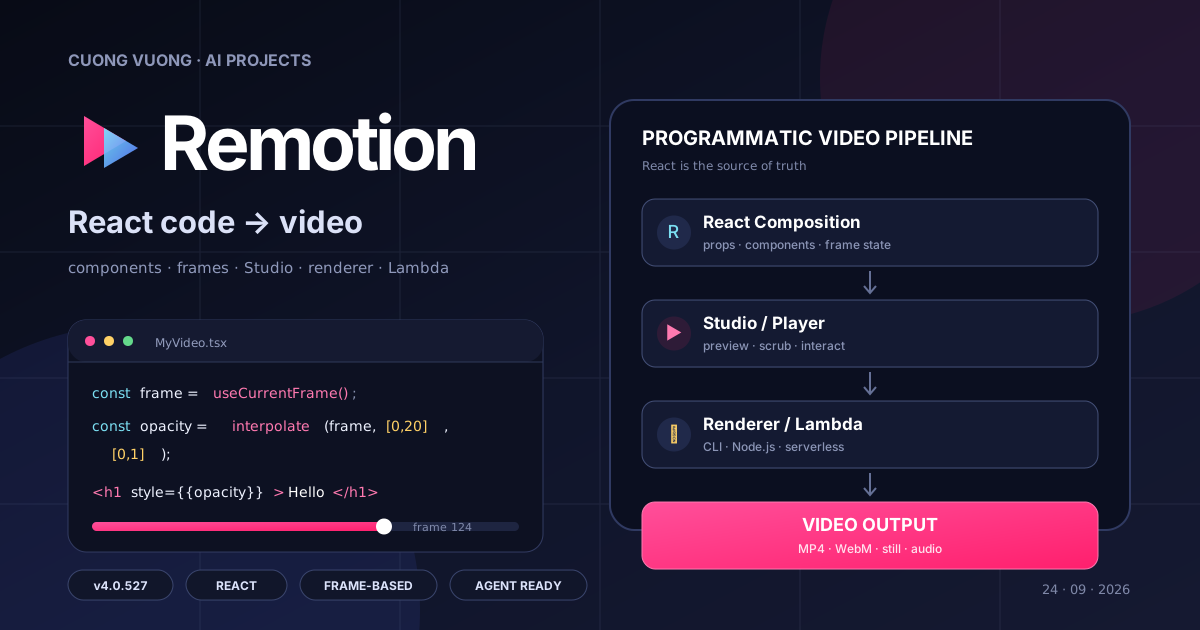
Nếu đã làm React lâu, Remotion có cảm giác khá quen ngay từ lần mở project đầu tiên: video vẫn là component, props vẫn là props, chỉ có thêm một biến rất quan trọng — frame hiện tại.
Remotion tự gọi mình là bộ “video tools for the agent era”, nhưng trước khi nói tới agent thì nền tảng của nó vẫn rất rõ: React code là source of truth. Scene có thể dùng JSX, CSS, SVG, canvas, Three.js hay component tự viết; Studio lo preview, còn CLI/renderer lo biến composition thành file video.
Vì vậy Remotion không giống một video editor được bọc bằng code. Nó giống một codebase frontend mà đầu ra cuối cùng là MP4, WebM, GIF, still hoặc media khác. Đây cũng là lý do project đặc biệt hợp với template, dữ liệu động và những hệ thống cần render lặp lại nhiều phiên bản.
Ở thời điểm tôi đọc repo, package chính đang ở phiên bản 4.0.527.
Repository: github.com/remotion-dev/remotion
Remotion thực chất là gì?
Có thể hình dung Remotion như một runtime video nằm trên React.
Trong một web app bình thường, UI phụ thuộc vào state:
state
  ↓
React
  ↓
DOM
Trong Remotion, một phần state quan trọng chính là frame hiện tại:
frame hiện tại
      ↓
React component
      ↓
style / transform / media / SVG / canvas
      ↓
frame hình ảnh
      ↓
renderer
      ↓
video
Component có thể đọc frame bằng:
const frame = useCurrentFrame();
Sau đó dùng frame để tính opacity, position, scale hoặc bất kỳ giá trị nào khác.
Ví dụ:
const opacity = interpolate(frame, [0, 20], [0, 1]);
Ở frame 0, opacity là 0. Ở frame 20, opacity là 1.
Cách tư duy này rất quan trọng: animation không phải một hiệu ứng chạy tự do theo đồng hồ browser, mà là hàm của frame.
Điều đó khiến một composition có thể render lại một cách có kiểm soát.
Composition: đơn vị video cơ bản
Mỗi video hoặc phiên bản video thường được đăng ký bằng component <Composition>.
Ví dụ:
import {Composition} from 'remotion';
import {MyVideo} from './MyVideo';

export const Root = () => {
  return (
    <Composition
      id="MyVideo"
      component={MyVideo}
      durationInFrames={180}
      fps={30}
      width={1920}
      height={1080}
    />
  );
};
Ở đây:
durationInFrames = 180
fps              = 30
width            = 1920
height           = 1080
Video dài:
180 / 30 = 6 giây
Vì duration được tính theo frame, toàn bộ timeline rất rõ ràng.
frame 0    → 0.00s
frame 30   → 1.00s
frame 60   → 2.00s
frame 180  → 6.00s
Cách Remotion xử lý animation
Hook quan trọng nhất là:
useCurrentFrame()
Nó trả về frame hiện tại của composition.
Sau đó có thể dùng một số primitive như:
interpolate(),spring(),interpolateColors(),Sequence,AbsoluteFill,- transition package.
Một animation fade-in cơ bản:
import {interpolate, useCurrentFrame} from 'remotion';

export const Title = () => {
  const frame = useCurrentFrame();

  const opacity = interpolate(frame, [0, 20], [0, 1], {
    extrapolateRight: 'clamp',
  });

  return <h1 style={{opacity}}>Hello Remotion</h1>;
};
Logic:
frame 0   → opacity 0
frame 10  → opacity 0.5
frame 20  → opacity 1
frame >20 → opacity 1
Nếu muốn chuyển động tự nhiên hơn, có thể dùng spring:
import {
  interpolate,
  spring,
  useCurrentFrame,
  useVideoConfig,
} from 'remotion';

const frame = useCurrentFrame();
const {fps} = useVideoConfig();

const progress = spring({
  frame,
  fps,
});

const y = interpolate(progress, [0, 1], [80, 0]);
Remotion không ép developer dùng một timeline GUI. Timeline chính là code.
Kiến trúc repository
Remotion là một monorepo rất lớn. Nếu chỉ nhìn thư mục packages/, có thể thấy project đã mở rộng xa hơn một renderer React đơn giản.
Một số package quan trọng:
packages/
├── core
├── cli
├── renderer
├── player
├── studio
├── bundler
├── lambda
├── serverless
├── transitions
├── three
├── shapes
├── captions
├── media-utils
├── media-parser
├── webcodecs
└── skills
Có thể rút gọn kiến trúc thành:
React components
      ↓
Remotion core
      ↓
Composition + frame state
      ↓
Studio / Player
      ↓
Renderer
      ↓
video / image output
Hoặc với server rendering:
React source
    ↓
bundle()
    ↓
selectComposition()
    ↓
renderMedia()
    ↓
renderer
    ↓
MP4 / WebM / GIF / audio / still
remotion core
Package remotion là API chính mà composition import.
Ví dụ:
import {
  AbsoluteFill,
  Composition,
  interpolate,
  Sequence,
  spring,
  useCurrentFrame,
  useVideoConfig,
} from 'remotion';
Nó cung cấp các primitive để:
- lấy frame hiện tại,
- đọc cấu hình video,
- chia scene theo timeline,
- interpolate giá trị,
- chạy spring animation,
- đăng ký composition.
Nếu làm video bằng Remotion, phần lớn code creative sẽ nằm quanh layer này.
Remotion Studio
Khi chạy project development, Remotion mở Studio.
Studio cho phép:
- chọn composition,
- scrub timeline,
- preview frame,
- thay đổi props,
- xem animation,
- trigger render,
- inspect project.
Điểm đáng chú ý là Studio không thay thế code.
React component vẫn là source of truth.
Workflow thường là:
edit code
   ↓
Studio auto reload
   ↓
scrub timeline
   ↓
kiểm tra motion
   ↓
render
Đối với developer, workflow này khá gần với frontend development.
@remotion/player
Player cho phép nhúng composition vào một React app.
Package hiện mô tả chính nó là một React component để embed Remotion preview vào ứng dụng.
Ví dụ use case:
- preview video trước khi render,
- cho user thay đổi text hoặc màu,
- tạo video configurator,
- xây SaaS video editor,
- hiển thị template video trong dashboard.
Flow có thể là:
User nhập dữ liệu
      ↓
React app
      ↓
Remotion Player
      ↓
Preview
      ↓
Render API
      ↓
MP4
Đây là điểm mạnh lớn nếu đang xây sản phẩm video generation chứ không chỉ render một video riêng lẻ.
@remotion/renderer
Nếu muốn render programmatically trên Node.js hoặc Bun, package chính là:
npm install @remotion/renderer --save-exact
Tài liệu Remotion khuyến nghị giữ các package remotion và @remotion/* cùng chính xác một version.
Pipeline server-side phổ biến:
bundle source
    ↓
load composition
    ↓
select composition
    ↓
render media
    ↓
output file
Các API thường gặp:
bundle()
selectComposition()
renderMedia()
Điều này cho phép đưa Remotion vào backend.
Ví dụ:
API request
   ↓
customer data
   ↓
inputProps
   ↓
renderMedia()
   ↓
customer-video.mp4
Đây là nền tảng cho video personalization và batch rendering.
AWS Lambda và batch rendering
Repository có package riêng:
@remotion/lambda
Package này dùng để render Remotion video trên AWS Lambda.
Khi số lượng video tăng từ vài video lên hàng trăm hoặc hàng nghìn video, render local không còn là giải pháp phù hợp.
Một pipeline production có thể là:
database / API
      ↓
render job
      ↓
Remotion Lambda
      ↓
S3
      ↓
CDN / application
README hiện nhấn mạnh use case batch rendering, bao gồm việc render khối lượng video rất lớn trên hạ tầng của chính bạn.
Cài đặt Remotion
Cách nhanh nhất hiện tại là dùng create-video:
npx create-video@latest
Nếu muốn tạo project blank nhanh:
npx create-video@latest --yes --blank my-video
cd my-video
npm i
Tài liệu hiện cũng khuyến nghị cài Agent Skills:
npx remotion skills add
Sau đó chạy development server:
npm run dev
Remotion Studio sẽ mở để bạn preview composition.
Tạo project bằng coding agent
Remotion hiện hỗ trợ workflow agent khá rõ.
Tài liệu gợi ý cài skill bằng:
npx -y skills@latest add remotion-dev/skills -g -y
Hoặc từ project:
npx remotion skills add
Sau đó có thể yêu cầu Codex, Claude Code hoặc agent khác tạo video.
Ví dụ:
Create a 10-second 1920x1080 Remotion video.

Scene 1:
- dark background
- title fades and slides up

Scene 2:
- show three feature cards
- stagger their entrance

Scene 3:
- final CTA

Use frame-based animations and keep all timing deterministic.
Agent có thể tạo component React, đăng ký composition và chạy Studio để preview.
Điểm này khiến Remotion rất phù hợp với workflow AI coding: thay vì sinh một file video trực tiếp, agent sinh source code video mà developer vẫn kiểm soát được.
Ví dụ cơ bản: video title 6 giây
Tạo component:
import {
  AbsoluteFill,
  interpolate,
  spring,
  useCurrentFrame,
  useVideoConfig,
} from 'remotion';

export const MyVideo = () => {
  const frame = useCurrentFrame();
  const {fps} = useVideoConfig();

  const entrance = spring({
    frame,
    fps,
    config: {
      damping: 14,
    },
  });

  const y = interpolate(entrance, [0, 1], [80, 0]);

  const opacity = interpolate(frame, [0, 20], [0, 1], {
    extrapolateRight: 'clamp',
  });

  return (
    <AbsoluteFill
      style={{
        backgroundColor: '#0b0b0f',
        color: 'white',
        justifyContent: 'center',
        alignItems: 'center',
        fontFamily: 'Inter, sans-serif',
      }}
    >
      <div
        style={{
          opacity,
          transform: `translateY(${y}px)`,
          textAlign: 'center',
        }}
      >
        <h1
          style={{
            margin: 0,
            fontSize: 120,
          }}
        >
          Remotion
        </h1>

        <p
          style={{
            marginTop: 24,
            fontSize: 36,
            color: '#9ca3af',
          }}
        >
          React code → video
        </p>
      </div>
    </AbsoluteFill>
  );
};
Đăng ký composition:
import {Composition} from 'remotion';
import {MyVideo} from './MyVideo';

export const RemotionRoot = () => {
  return (
    <Composition
      id="MyVideo"
      component={MyVideo}
      durationInFrames={180}
      fps={30}
      width={1920}
      height={1080}
    />
  );
};
Video này có:
180 frames
30 fps
→ 6 giây
Preview video
Chạy:
npm run dev
Trong Studio:
- chọn composition
MyVideo, - kéo timeline,
- kiểm tra animation,
- sửa component nếu cần.
Vì animation dựa trên frame nên bạn có thể nhảy trực tiếp tới bất kỳ frame nào.
Render video
Render composition bằng CLI:
npx remotion render MyVideo out/video.mp4
Có thể truyền props từ JSON:
npx remotion render MyVideo out/video.mp4 --props=./input-props.json
Ví dụ:
{
  "title": "New Product",
  "subtitle": "Available today"
}
Đây là bước đầu để biến template video thành generator.
Ví dụ video generation theo dữ liệu
Giả sử component nhận props:
type Props = {
  title: string;
  price: string;
  image: string;
};
Bạn có thể có nhiều input:
product-001.json
product-002.json
product-003.json
...
Sau đó:
JSON
 ↓
React props
 ↓
Remotion composition
 ↓
renderer
 ↓
video
Đây là use case Remotion mạnh hơn nhiều so với editor video thủ công.
Ví dụ:
- video sản phẩm cho e-commerce,
- video bất động sản,
- sports highlight card,
- financial report,
- social media template,
- personalized sales video,
- automatic podcast clips.
Timeline bằng Sequence
Để chia scene, Remotion cung cấp Sequence.
Ví dụ:
import {Sequence} from 'remotion';

export const MyVideo = () => {
  return (
    <>
      <Sequence from={0} durationInFrames={90}>
        <Intro />
      </Sequence>

      <Sequence from={90} durationInFrames={120}>
        <Features />
      </Sequence>

      <Sequence from={210} durationInFrames={90}>
        <Outro />
      </Sequence>
    </>
  );
};
Có thể đọc như timeline:
0 ───────── 90 ───────────── 210 ───────── 300

|   Intro   |    Features     |    Outro    |
Component trong Sequence nhận frame tương đối với thời điểm bắt đầu của Sequence.
Điều này giúp scene có thể tái sử dụng mà không cần sửa logic animation bên trong.
Media, caption, transition và 3D
Repository hiện có nhiều package chuyên biệt:
@remotion/transitions
@remotion/three
@remotion/shapes
@remotion/captions
@remotion/media-utils
@remotion/media-parser
@remotion/webcodecs
Điều này cho thấy Remotion đã phát triển từ “React to MP4” thành một video toolkit khá rộng.
Có thể kết hợp:
- ảnh,
- video,
- audio,
- SVG,
- fonts,
- captions,
- transition,
- Three.js,
- WebGL,
- WebCodecs.
Về mặt creative, giới hạn phần lớn nằm ở khả năng của browser và code bạn viết.
Remotion làm tốt ở đâu?
Lợi thế lớn nhất là nó không bắt một team React phải đổi cách tổ chức code. Scene có thể tách thành component, nhận props, dùng TypeScript, chia package, test và refactor như phần còn lại của frontend. Với project có nhiều template, điều này đáng giá hơn một demo render đẹp nhưng khó maintain.
Frame-based animation cũng làm logic khá minh bạch. Khi opacity, position hay scale là hàm của frame, việc scrub tới một thời điểm cụ thể và render lại trở nên dễ kiểm soát hơn. Sequence, interpolate() và spring() đều đi theo cùng một cách nghĩ này.
Một điểm mạnh khác là data đi thẳng vào composition. JSON, database, API, CMS hay một AI pipeline đều có thể trở thành input props. Từ đó Remotion không chỉ dùng để làm “một video”, mà có thể trở thành template engine hoặc backend tạo hàng nghìn biến thể.
Cuối cùng là hệ sinh thái render: local CLI, Node.js/Bun renderer, Player, Studio, Lambda và nhiều package media đã có sẵn. Với một project nhỏ bạn chỉ cần Studio + CLI; khi nhu cầu lớn lên vẫn còn đường để mở rộng mà không phải thay framework.
Những chỗ cần tính trước
React là lợi thế nếu hệ thống của bạn vốn đã dùng React, nhưng cũng là một dependency kiến trúc. Với một composition rất nhỏ hoặc một pipeline chỉ cần HTML thuần, Remotion có thể nhiều lớp hơn mức cần thiết.
Video lớn lên cũng kéo theo đúng những vấn đề quen thuộc của software project: component reuse, asset management, font, timing, caching, render cost và error handling. Remotion cung cấp primitive tốt, chứ không tự giải quyết phần tổ chức code thay cho team.
Render ở quy mô lớn là một câu chuyện riêng. Vài video local thì đơn giản; hàng nghìn render cần queue, storage, retry, concurrency và observability. Lambda và renderer API giúp phần execution, nhưng production architecture vẫn phải tự thiết kế.
Lưu ý về license
Remotion không dùng MIT hoặc Apache-2.0.
Repository có license riêng.
Theo file LICENSE.md hiện tại, free license áp dụng cho:
- cá nhân,
- tổ chức lợi nhuận có tối đa 3 nhân viên,
- nonprofit / not-for-profit,
- evaluation chưa dùng thương mại.
Các tổ chức for-profit không thuộc nhóm này cần Company License.
License cho phép các đối tượng đủ điều kiện dùng Remotion để tạo video commercial hoặc non-commercial, nhưng không cho phép lấy code Remotion rồi tạo derivative với mục đích bán, cho thuê, cấp phép hoặc sublicense như một sản phẩm Remotion khác.
Repository cũng ghi rằng license dự kiến có điều chỉnh ở Remotion 5.0.
Vì vậy nếu đưa Remotion vào sản phẩm công ty, nên kiểm tra license hiện hành trước khi triển khai production.
Remotion phù hợp với bài toán nào?
Remotion đặc biệt phù hợp khi video có một phần hoặc toàn bộ input dưới dạng dữ liệu:
script
voice
captions
images
product data
charts
brand tokens
      ↓
React composition
      ↓
Remotion
      ↓
video
Ví dụ:
- AI video generation pipeline,
- content automation,
- personalized marketing videos,
- automated explainers,
- podcast clips,
- social media templates,
- reporting videos,
- dynamic ads,
- internal video generation tools.
Nó cũng phù hợp khi team muốn xây video editor riêng hoặc video SaaS, vì Player và renderer có thể được nhúng vào application.
Remotion và coding agent
Remotion hợp với coding agent đơn giản vì source vẫn là code mà agent đã quen đọc và sửa. Sau vòng đầu, những yêu cầu kiểu “scene 2 nhanh quá”, “subtitle lớn hơn” hay “cho chart xuất hiện từng cột” đều trở thành thay đổi cụ thể trong component thay vì một lần generate lại từ đầu.
Điểm tôi thích ở workflow này là video vẫn có source để review, diff và version control. Agent chỉ là người thao tác code nhanh hơn; nó không biến pipeline thành một black box.
Kết luận
Remotion hợp nhất khi bạn muốn coi video như một phần của hệ thống phần mềm, chứ không phải một file media làm xong rồi bỏ đó. Component, props, frame và renderer ghép lại thành một workflow mà developer React có thể hiểu khá nhanh.
Với project nhỏ, chỉ cần create-video, Studio và một lệnh render là đủ để nắm cách hoạt động. Khi project lớn hơn, cùng codebase đó có thể tiến thành template engine, batch renderer, video API hoặc một công cụ nội bộ cho team content.
Điểm cần quyết định sớm nhất không phải “Remotion có làm được hiệu ứng này không?”, mà là: mình có muốn video sống lâu dài trong một codebase React hay không? Nếu câu trả lời là có, Remotion là một lựa chọn rất tự nhiên.
Tài liệu tham khảo
- Remotion repository
- Remotion documentation
- Remotion Studio
- Remotion Player
- Server-side rendering
- AWS Lambda rendering
- Agent Skills
- License

Cuong Vuong · Developer, Writer, Builder
Tôi viết về những thứ đã thử, đã xây dựng và những bài học có thể dùng lại trong dự án tiếp theo.
More about me →